Main content
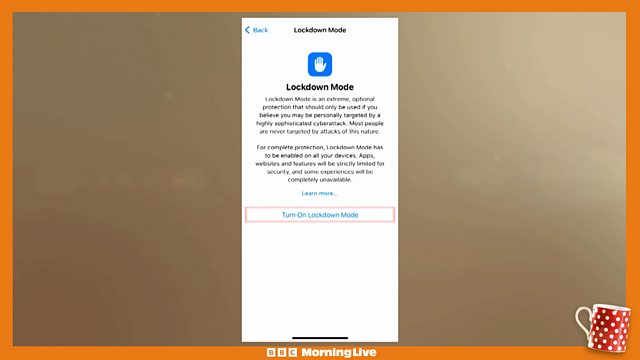
How to stop your phone accessing 2G networks
Scam Interceptors' Nick Stapleton has been talking about 'smishing scams.' Some scammers are now using DIY phone masts to send scam text messages to victims. They use outdated 2G phone networks to do this. Here's how to stop a phone accessing 2G networks on an Apple iPhone:
Open the Settings app.
Tap Privacy & Security.
Scroll down, tap Lockdown Mode, then tap Turn On Lockdown Mode.
In Privacy & Security settings on iPhone, turn on Lockdown Mode.
Tap Turn On Lockdown Mode.
Tap Turn On & Restart, then enter your device passcode.
Duration:
This clip is from

More clips from Morning Live
![]()
Dr Oscar looks at the latest health headlines
Duration: 07:43
![]()
How to tackle vandalism
Duration: 06:52
![]()
Protecting your pension
Duration: 08:02
![]()
Ellie Taylor chats about Strictly - It Takes Two
Duration: 05:49